Metabase is an open source platform that is used to analyze some of the information stored in Interact. Since we do not have direct access to the SQL database, a clone is made hourly from 6AM-6PM ET which is then hooked onto Metabase.
Note
The hourly clones only apply to new Interact tickets. Interact JOBS are cloned once a day at midnight. Because of the way the Metabase logic is written, if a ticket’s job is absent in the cloned database, it will not show up at all. These tickets should appear after the next Job cloning (Midnight on the current day).
As an open source project Metabase has ample documentation that can be found here: https://www.metabase.com/docs/latest/
Adding and removing users
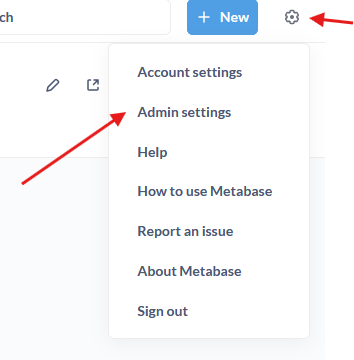
To add/remove users to Metabase first login as an administrator, then at the top right click on the gear icon, then “Admin settings”.
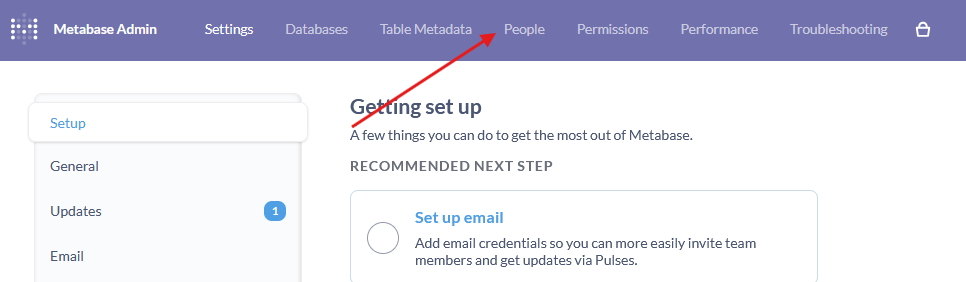
From here, you’ll click on people:
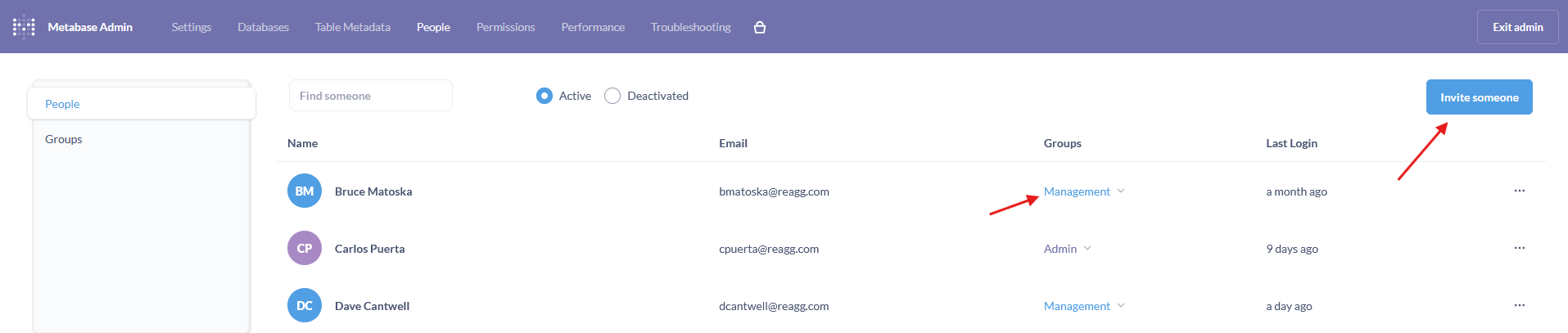
Now you’ll see a list of users along with their permissions. You can now click invite someone and put in their information.
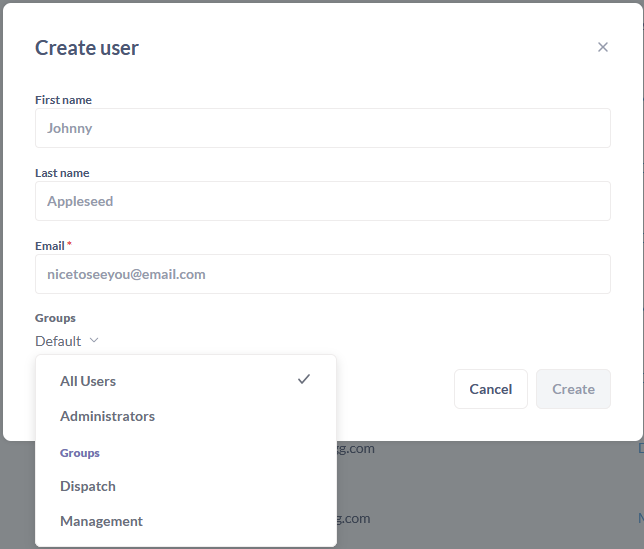
Under groups, you can select which permission set the new user should have. Once you click create, the users password will be shown. Make sure to write it down somewhere as it cannot be retrieved afterwards, and will need to be reset.
Adding and removing inventory tracked materials
To change the materials tracked in Metabase, the change must be done in Supabase. First, login to Supabase, go to the table editor, and open the “inventory” table.
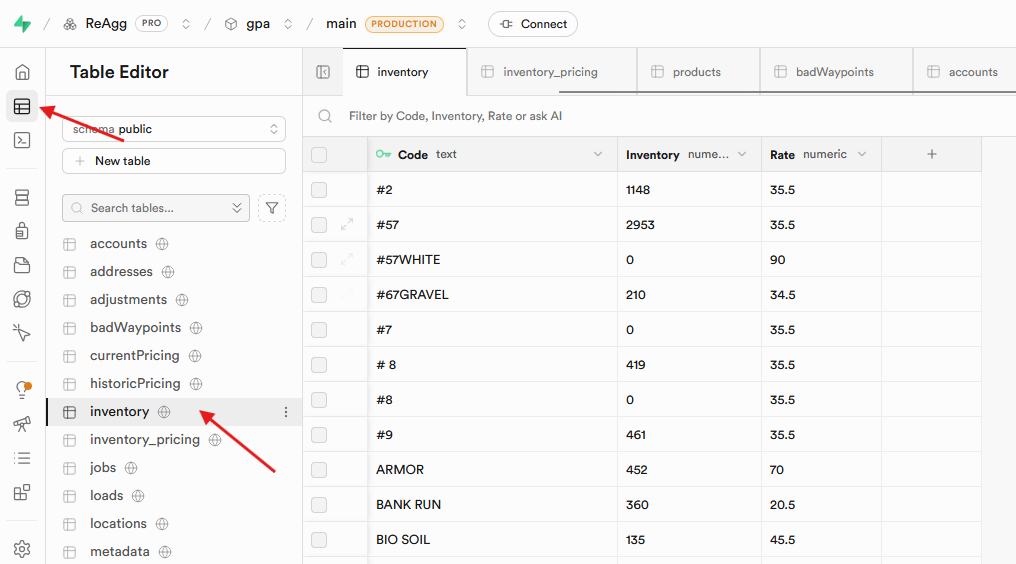
On this table, you can add/remove items which will immediately show them in Metabase. Make sure the code matches the Interact code exactly.
The “Inventory” column represents the available stock on March 1, 2024. Obviously it is impossible to obtain this number in the future, but if you know the current stock, you can edit this number up or down to eventually match what’s available today. Alternatively, you can set this to zero and make the adjustment in Interact.
Note
The rate column is deprecated and not used.
Changing and updating inventory pricing
The pricing for the inventory items also lives in Supabase. Again, login, go to table editor, and open the “inventory_pricing” table:
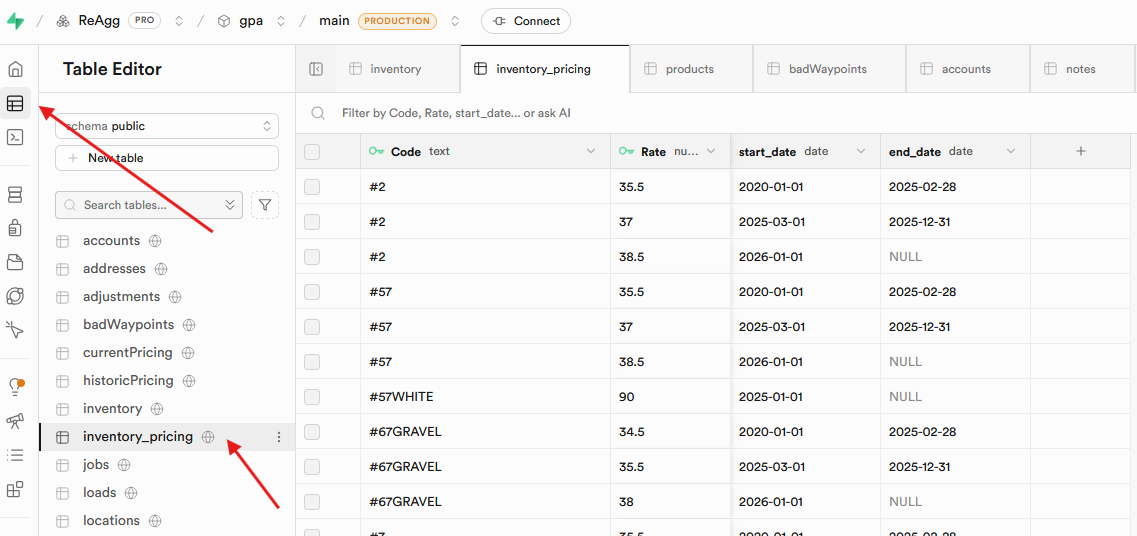
Here you can input:
- Code - Interact code which must match exactly.
- Rate - what the inventory item is valued at
- Start date - when the price is effective.
- End date - when the price ends. If the price is current this can be left blank.
#2 Is a great example on how the information should be inputted:

Warning
The dates cannot overlap. If there is overlap, Metabase will duplicate entries for all the dates that are overlapping and include both prices. This can lead to wildly inaccurate results.